Skip to main content
Docs home page
Search...
⌘K
Get started
Overview
Quickstart
Observability data model
Features
Observability
Prompt management
Evals
Evaluators
Datasets
Testsets
Add test cases from logs
Upload a testset
Experiments
Experiments V2 (Beta)
LLM Gateway
Notifications
Automations (Beta)
Admin
Respan API keys
LLM provider keys
Team management
Security
Trust center
SOC II
HIPAA Compliance
GDPR
Architecture review
Security FAQ
Resources
Model Context Protocol (MCP)
What is LLM monitoring?
Automatic retries
How streaming works
Error handling
API rate limits
Help & Community
Support
Feedback
Status
Discord
platform
Docs home page
Search...
⌘K
Discord
platform
platform
Search...
Navigation
Testsets
Add test cases from logs
Documentation
Integrations
API reference
SDKs
Changelog
Documentation
Integrations
API reference
SDKs
Changelog
Testsets
Add test cases from logs
Copy page
Copy page
This guide will show you how to create a dataset from logs.
Prerequisites
You should pass variables in the API request, since we use the variables to define columns of the dataset. Learn how to
log variables here
.
Steps
1
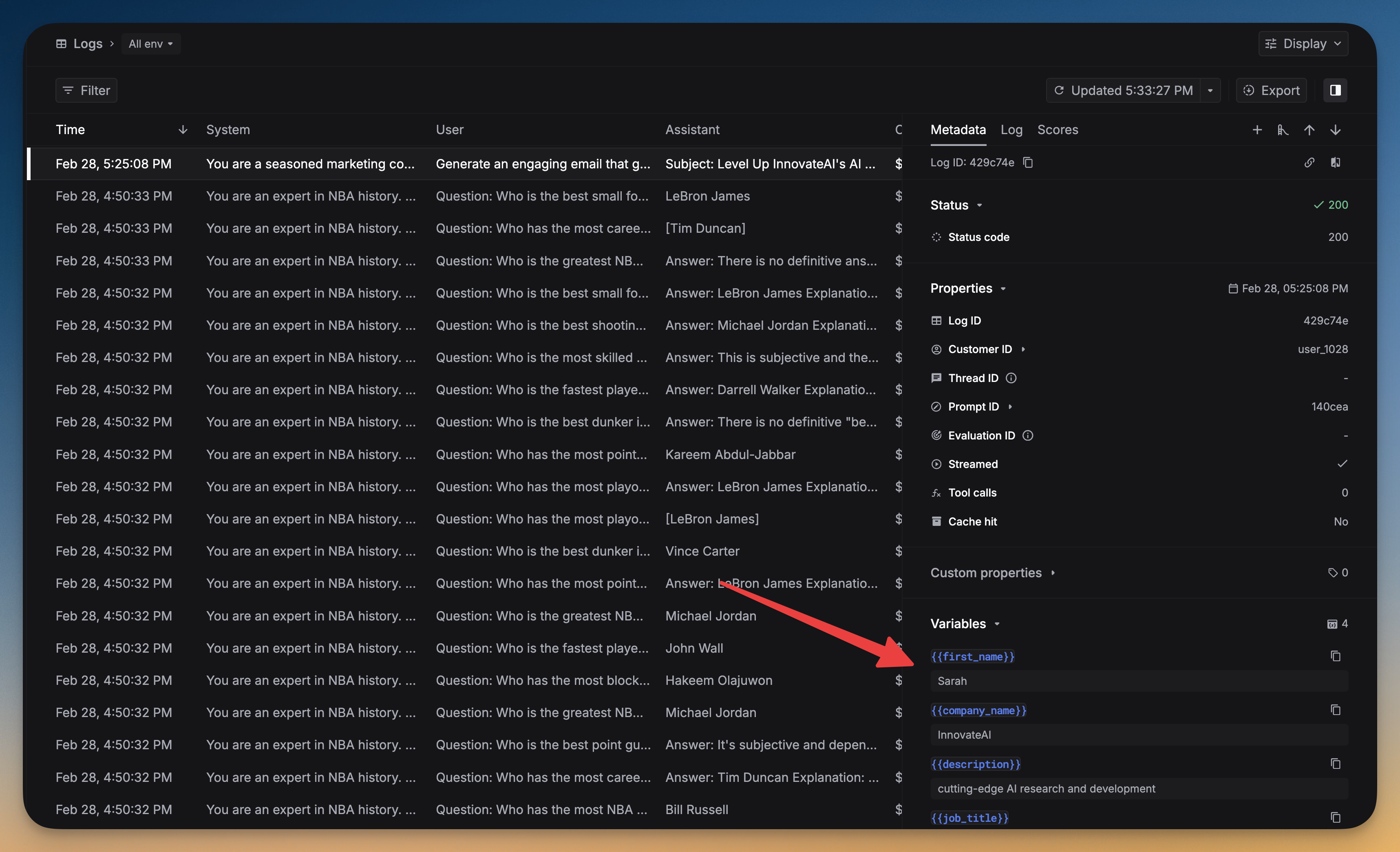
Choose the logs you want to include in the testset
Click a log, and if it has the Variables section, it means the log has variables and can be included in the testset.
2
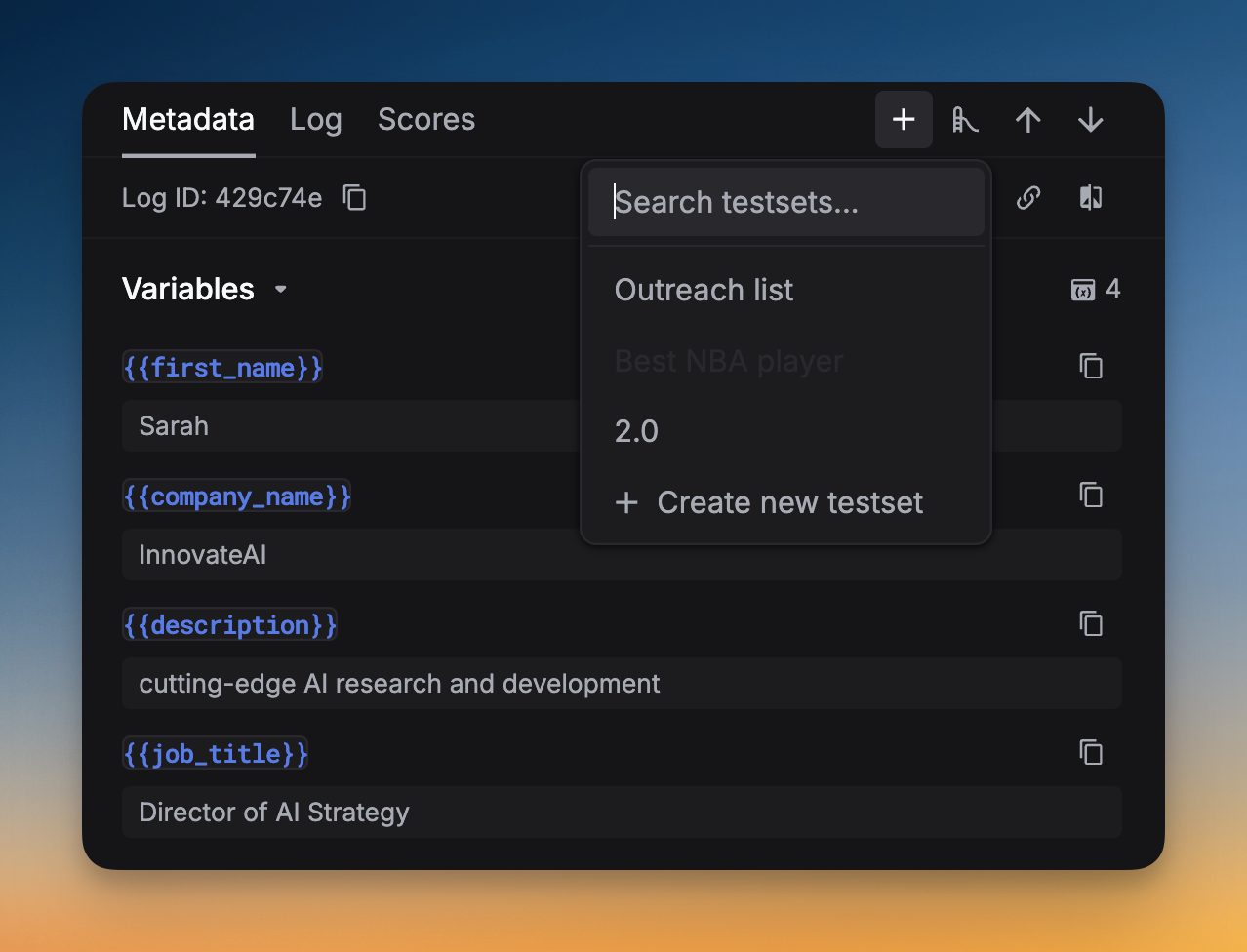
Bring the log to the testset
Click the
+
button, and choose the testset you want to add the log to or create a new testset.
Previous
Upload a testset
Easily manage and organize test cases. Import a CSV file and edit it like a Google Sheet.
Next
⌘I
On this page
Prerequisites
Steps